Beyond "It Works on My Machine": A Developer’s Guide to Mastering the CI/CD Pipeline
Stop the "works on my machine" nightmare. Learn the basics of CI/CD, GitHub Actions, DevSecOps, and key metrics to automate your builds and deploys.
Key Takeaways (Quick Summary)
- Eliminate Environment Discrepancies: CI/CD prevents the "works on my machine" error by compiling and testing code in clean, automated runner environments.
- Understand the Stages: Continuous Integration automates testing, Continuous Delivery prepares releases, and Continuous Deployment handles automatic deployment to live environments.
- Shift Security Left: Integrate security scanners (DevSecOps) directly into your pipeline build steps to catch vulnerabilities before they hit production.
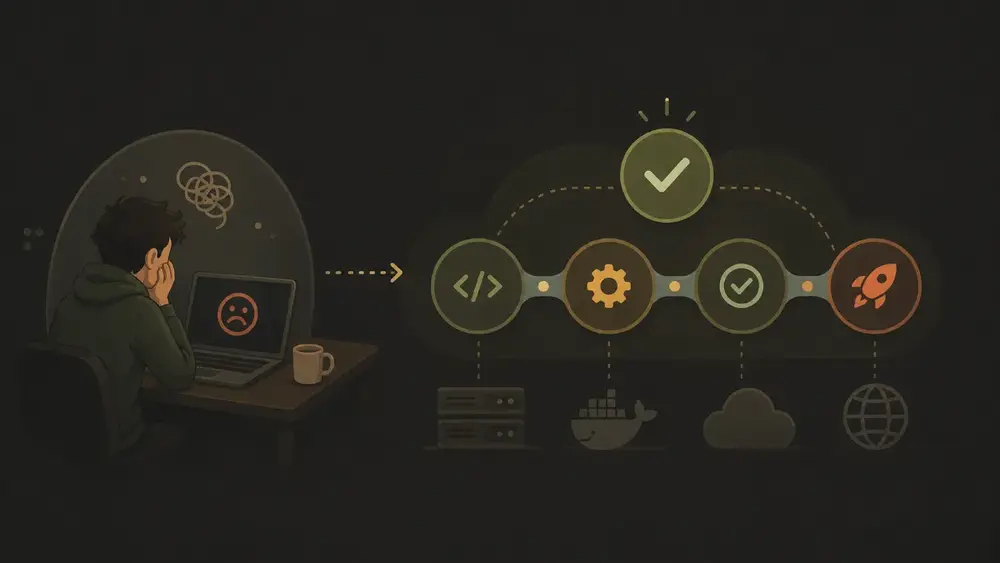
Look, I get it. You just finished your first real project, and someone mentions CI/CD. You see YAML files, runners, and environment variables, and you immediately shrug it off. "That’s a fancy DevOps thing for giant corporations," you think. "I'll worry about that when I'm 'good enough.'"
Here is the thing: CI/CD isn’t magic, and it isn’t reserved for tech giants.
Actually, it is the ultimate cure for the "it works on my machine" syndrome. You know, that frustrating moment when code runs perfectly on your laptop but catches fire the second it hits a server.
Yes, the intimidation is real. Even a tiny missing dot in the .github directory can break your workflow if you don't know it is mandatory. But mastering the CI/CD pipeline changes your developer brain. You stop saying "I'll test when I'm done" and start shipping small, tested changes with confidence.
Featured Snippet Bait: A CI/CD pipeline is an automated workflow that integrates code changes, runs tests, and deploys applications. Continuous Integration (CI) automatically builds and tests code, while Continuous Delivery/Deployment (CD) automates release and deployment to production, ensuring consistent quality and eliminating manual deployment errors.
1. The Anatomy of CI, CD, and... CD?
Before we look under the hood, let's clear up the alphabet soup.
While developers often use these terms interchangeably, they represent distinct strategic choices regarding automation and risk.
Let's break it down:
| Practice | Primary Action | Final Step | | :--- | :--- | :--- | | Continuous Integration (CI) | Automatically builds and tests every code change. | Merges code into the main branch. | | Continuous Delivery (CD) | Automates the release of production-ready builds. | Pauses for a manual trigger to push to production. | | Continuous Deployment (CD) | Fully automates the path from commit to customer. | Automatically releases directly to live environments. |
Why the split? The manual gate in Continuous Delivery is a strategic safety net. It allows for a final human check before clicking the "big red button."
Continuous Deployment, however, requires a massive upfront investment in automated testing. There is no human safety net standing between your keyboard and your users.
Red Hat highlights the core issue in their guide to CI/CD workflows:
"In modern application development, the goal is to have multiple developers working simultaneously... However, if an organization is set up to merge all branching source code together on one day (known as 'merge day'), the resulting work can be tedious, manual, and time-intensive."
Put simply, CI/CD is the antidote to the "Merge Day" nightmare. Instead of a once-a-month collision of conflicting code, you integrate and validate every single day.
2. The "Car Wash" Logic: How a Pipeline Actually Flows
To understand a pipeline, stop thinking about complex servers. Instead, think about an automated car wash.
Every car follows the exact same path: spray, soap, rinse, and dry. No car skips a step, and the staff doesn't need to remember what comes next.
A pipeline works the exact same way. It is an automated checklist that removes human error from the equation, ensuring the same quality checks run every time you push code.
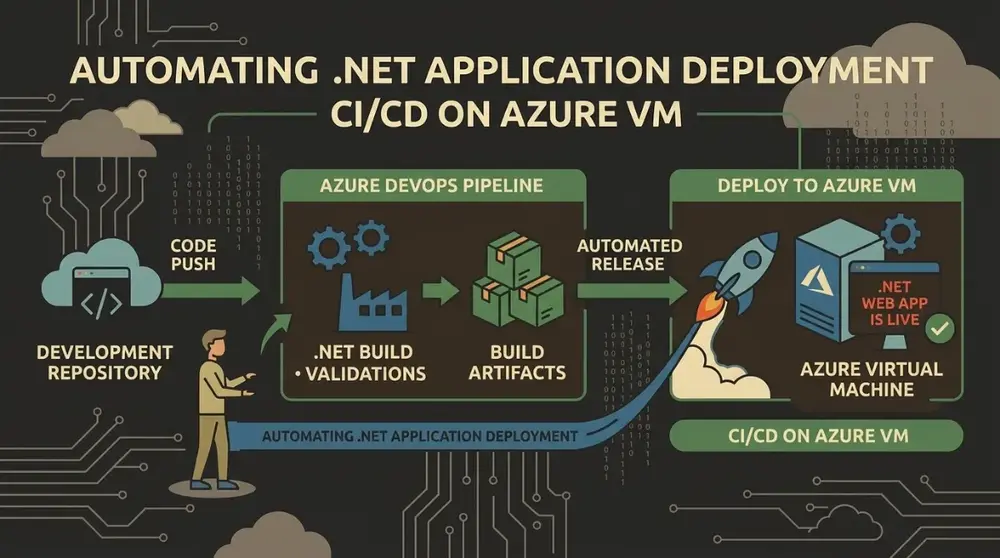
Here is how the conveyor belt moves:
- Source (The Trigger): You push code to Git. This action flips the switch and starts the process.
- Build (The Assembly): The system compiles the code and creates an artifact (like a Docker image or a Java JAR file). We build once and promote that exact artifact to keep environments consistent.
- Test (The Scrubbing): Automated tests clean the code. This includes unit tests for individual functions, integration tests to check communication, and regression tests to verify that old features didn't break. You can read more about constructing robust test suites in these regression testing practices.
- Deploy (The Rinse & Dry): The code goes live. This step might use a Blue/Green deployment (switching traffic between two cloned environments) or a Canary release (testing changes on a tiny subset of users first).
3. Hands-On: Your First Control Room (GitHub Actions)
If you use GitHub, you already have a built-in automation room: GitHub Actions. You don't need external software—just a .github/workflows/ci.yml file in your repository.
Here is a day in the life of a typical pipeline run:
- The Coffee & The Commit: You sip your coffee, squash a bug, and run
git push. - The Switch (
on:): GitHub detects the push event on your main branch and fires up the pipeline. - The Clean Room (
jobs:): GitHub spins up a fresh virtual machine, likeubuntu-latest. This guarantees your build doesn't rely on random files lying around your local machine. - The Instructions (
steps:):- Checkout: Runs
actions/checkoutto download your code onto the fresh runner. - Setup: Runs
actions/setup-nodeto install the exact Node.js version you need. - Install: Runs
npm ci. Pro-tip: Always usenpm ciinstead ofnpm installin pipelines. It is faster and strictly respects yourpackage-lock.jsonfor reproducible builds. - Test: Runs
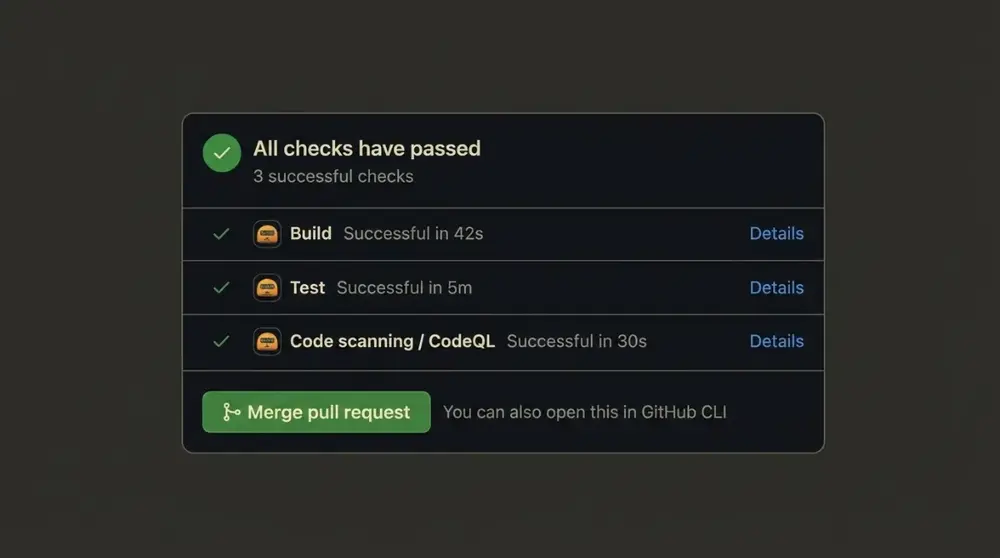
npm test. If they pass, you get a green checkmark; if they fail, the build halts immediately.
- Checkout: Runs
Here is a real-world example of how to configure this in your project, based on the GitHub Actions documentation:
name: CI Pipeline

on:
  push:
    branches: [ main ]
  pull_request:
    branches: [ main ]

jobs:
  build-and-test:
    runs-on: ubuntu-latest

    steps:
      - name: Checkout Code
        uses: actions/checkout@v4

      - name: Set up Node.js
        uses: actions/setup-node@v4
        with:
          node-version: '22'

      - name: Clean Install Dependencies
        run: npm ci

      - name: Run Tests
        run: npm test
4. DevSecOps: Why Security Can't Be an Afterthought
Historically, security was a final checkpoint at the very end of the development cycle. In a modern CI/CD flow, that delay is a recipe for disaster.
Enter DevSecOps. As explained in this DevSecOps guide, this practice "shifts left," meaning we move security checks to the very beginning of our delivery pipeline.
Think of it as the automatic undercarriage blast in our car wash. You catch issues early without manual inspection.
By integrating Static Application Security Testing (SAST) tools like SonarQube or GitHub’s CodeQL, you scan for vulnerabilities before compiling a single line of code.
Here is how you keep your pipeline secure:
- Sanitize Inputs: Automate code linters and checkers to block injection risks early.
- Least Privilege: Grant your pipeline runner only the absolute minimum permissions required to deploy.
- Credential Hygiene: Never hardcode API keys or passwords in your YAML files. Instead, use encrypted GitHub Secrets and inject them dynamically at runtime.
5. Measuring Success: The KPIs That Matter
How do you know if your automation is helping or just creating noise? You measure it.
In DevOps, teams use Value Stream Mapping (VSM) to map the flow from code commit to production, exposing bottlenecks.
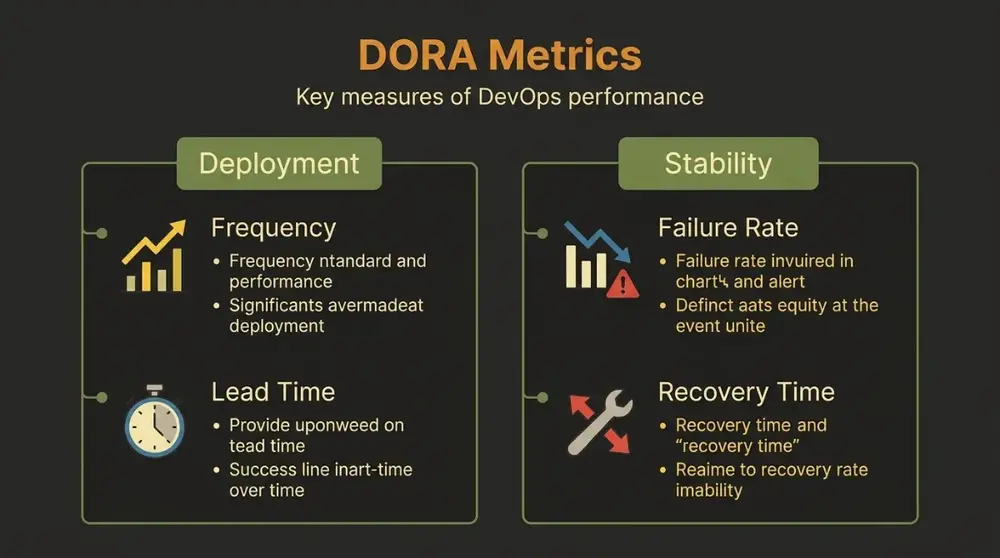
But to start, you should track these core metrics (often known as the DORA metrics):
- Cycle Time: How long does it take from the first commit to reach production? Shorter cycle times mean faster feedback.
- Deployment Frequency: How often do you ship to production? High frequency indicates smaller, low-risk releases.
- Change Failure Rate: What percentage of production deployments require immediate rollback or hotfixes?
- Mean Time to Recovery (MTTR): When production breaks, how fast can you restore service? This is the ultimate cure for developer deployment anxiety. Find more details on tracking these indicators in Google Cloud's DORA metrics research.
- Mean Time to Failure (MTTF): What is the average uptime between system failures?
6. Conclusion: The Future of Shipping
Automated pipelines have fundamentally redefined the developer's day-to-day work. They turn fragile, manual checklist deployments into reliable, repeatable processes.
Looking forward, the next wave is already here: AI-powered pipelines and MLOps that optimize runner resources and predict build failures before they occur.
Mastering CI/CD isn't just about speed; it's about reclaiming your peace of mind. It is the difference between a stressful, late-night "Merge Day" and a quiet Tuesday where you deploy to production and leave on time.
What do you think? If your team fully automated your current deployment flow today, how much more time would you have to build features? Let me know in the comments below!
FAQ (Frequently Asked Questions)
:::details What is the difference between CI and CD? Continuous Integration (CI) focuses on automatically merging and testing code changes. Continuous Delivery (CD) automates releasing these builds to a repository, while Continuous Deployment fully automates the actual deployment to live servers without human intervention. :::
:::details Do I need a dedicated DevOps engineer to set up a pipeline? No! For small to mid-sized projects, developers can easily configure basic pipelines using native tools like GitHub Actions or GitLab CI. You only need a simple configuration file in your repository to get started. :::
:::details How does CI/CD improve security? By shifting security left. Security testing tools (SAST) scan your source code for vulnerabilities and dependency issues automatically during the build phase, long before the code is released to production. :::