Is the Terminal Multiplexer Dead? Ghostty and the Case for Native Windowing
Is Ghostty replacing tmux? Discover how GPU-accelerated native windowing, Zig performance, and libghostty are reshaping developer workflows. Read now!
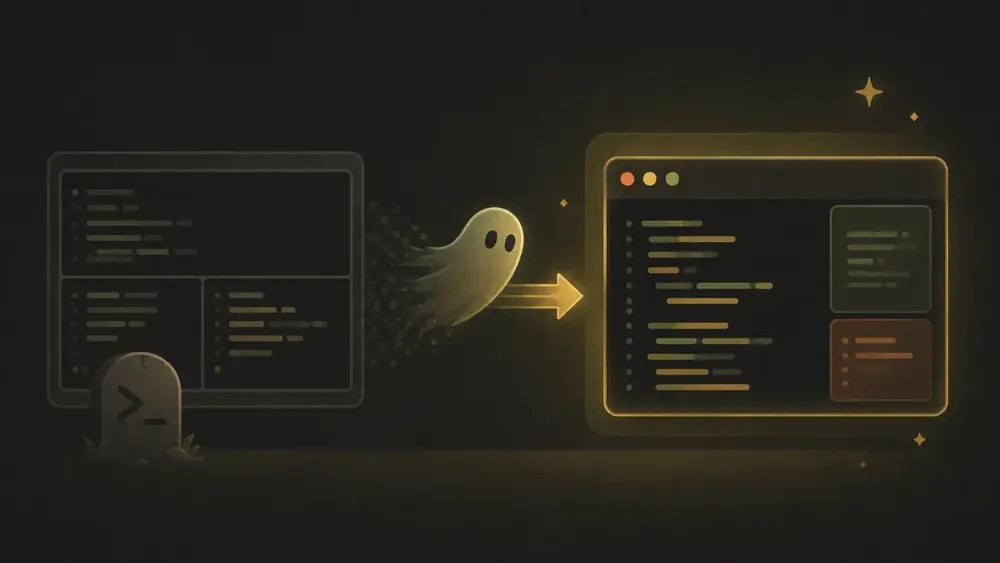
Is the Terminal Multiplexer Dead? Ghostty and the Case for Native Windowing
Meta Title: Ghostty vs Tmux: Is the Terminal Multiplexer Dead? Meta Description: Is Ghostty replacing tmux? Discover how GPU-accelerated native windowing, Zig performance, and libghostty are reshaping developer workflows. Read now! Slug: /ghostty-vs-tmux-terminal-multiplexer
Key Takeaways (Quick Summary)
- Native Windowing Over Grids: Ghostty leverages native OS UI components (Swift/AppKit on macOS, GTK4 on Linux) rather than artificial character-cell grids, delivering zero-lag splits and hardware GPU acceleration.
- Elimination of the Prefix Key: Native OS shortcuts replace cumbersome
Ctrl+BorCtrl+Aprefix workflows, making navigation instant and intuitive across your desktop environment.- The Persistence Gap: Tmux remains irreplaceable for background session persistence, process survival, and remote server management where state must survive application exits or reboots.
- Ecosystem & Agentic Workflows: Development focus on Tmux Control Mode (
-CC) and embeddinglibghosttyinto specialized tools (like cmux for AI agentic workflows) points toward a unified, native developer workspace.
For decades, the standard developer workflow has been defined by a specific kind of friction. We accepted the "prefix key tax"—that split-second mental overhead of executing Ctrl+B or Ctrl+A before navigating our own workspace—as the unavoidable cost of doing business in a text-based environment. Traditional terminal multiplexers forced a compromise: you could have a persistent workspace, but you had to manage it through an idiosyncratic abstraction layer alienated from your native operating system.
Enter Ghostty, a terminal emulator created by Mitchell Hashimoto that represents a fundamental architectural shift. It challenges the dogma that a command-line interface must be a least-common-denominator tool. But does this mean the traditional terminal multiplexer is dead?
Let's break it down.
Featured Snippet Bait: No, the terminal multiplexer is not dead, but its role is shifting. Ghostty replaces traditional multiplexers like tmux for local window management through GPU-accelerated native OS splits and tabs. However, tmux remains indispensable for process-level persistence, detached background sessions, and remote server development.
1. The Complexity Tax of the Modern Terminal
For years, developers sacrificed UI polish for CLI efficiency. Legacy terminal setups forced us to manage window splits inside a single character buffer.
Instead of forcing a choice between CLI speed and GUI refinement, Ghostty’s core value proposition rests on three pillars:
- Fast: Competitive performance with the world’s fastest GPU-accelerated terminals by utilizing hardware-level rendering to eliminate latency.
- Native: Built using platform-specific UI components—Swift/AppKit on macOS and Zig/GTK4 on Linux—ensuring it behaves like a first-class desktop application.
- Feature-Rich: Broad support for modern protocols like the Kitty graphics protocol and synchronized rendering, pushing the boundaries of terminal interaction.
"Ghostty provides all three... [it] is designed to look, feel, and behave like you expect an application to behave in your desktop environment." — Mitchell Hashimoto
Here is the thing: Ghostty proves that command-line tools don't have to look or feel like legacy artifacts.
2. GPU-Accelerated Real Estate: Native UI vs. Text-Based Grids
Legacy multiplexers like tmux operate within a fixed-cell grid. They essentially trick your terminal into displaying multiple sub-windows within a single character buffer.
Ghostty completely abandons this abstraction. By leveraging native OS components for windowing, tabs, and splits, it offloads spatial layout to the host operating system.
+-------------------------------------------------------------------+
|                        Ghostty Architecture                       |
+-------------------------------------------------------------------+
|     Native GUI Layer (Swift/AppKit on macOS | GTK4 on Linux)     |
+-------------------------------------------------------------------+
|         Core Terminal Engine (Zig systems-level engine)          |
+-------------------------------------------------------------------+
|     GPU Hardware Acceleration (Metal on macOS | OpenGL Linux)     |
+-------------------------------------------------------------------+
Technical Analysis: The Performance of Native Splits
Developers transitioning from tmux to Ghostty immediately notice the "crazy speed" of native splits.
Why was there noticeable lag in legacy setups?
When spawning a new split in tmux, the multiplexer recalculates text buffers and redraws the entire character grid across a single terminal surface. In contrast, Ghostty delegates this work directly to the OS windowing server (Metal on macOS, OpenGL on Linux). Spawning a native split simply maps a new native surface, executing the operation with near-zero latency.
Key Advantages of Native UI:
- Refined Font Rendering: Ghostty’s custom font engine excels at Nerd Fonts and glyph handling, rendering icons cleanly without clipping errors common in legacy grids.
- Independent Viewport Scaling: Traditional grids scale every pane uniformly when zooming text. Ghostty allows independent text zooming per pane—a game-changer for high-resolution displays and live presentations.
- Deep Platform Integration: Features like macOS "Tahoe" native fullscreen support, Quick Look previews, and secure input APIs ensure the terminal adheres to host operating system conventions.
3. The Ergonomic Shift: Killing the Prefix Key
Transitioning to Ghostty is primarily an ergonomic win. By moving window management to the OS layer, you can ditch prefix-heavy hotkeys in favor of global desktop shortcuts.
Custom keybindings like goto_split allow seamless directional navigation. On macOS, Ghostty further streamlines workflows with its drop-down "Quick Terminal"—summoned from anywhere on your desktop with a single keystroke, eliminating window hunting.
Solving Unicode Rendering: Mode 2027 and the Grapheme Solution
A major victory for Ghostty's native architecture is its implementation of Mode 2027 (Grapheme Clustering).
Legacy terminals rely on the traditional wcwidth function to estimate how many grid cells a character occupies. This legacy approach fails miserably with modern Unicode, complex scripts, or multi-codepoint emojis (such as "🧑🌾"). Incorrect width reporting leads to cursor misalignment, ghost characters, and garbled text buffers.
Ghostty solves this by supporting Mode 2027. It correctly identifies a single user-perceived character (a grapheme) from a stream of codepoints.
By eliminating the wcwidth limitation that misreports widths as 4 to 6 cells, Ghostty guarantees that your terminal's visual output and underlying buffer state stay in perfect sync.
4. The Persistence Gap: Why We Haven’t Deleted Tmux (Yet)
Despite Ghostty's impressive ergonomics and rendering speed, the terminal multiplexer is far from extinct.
Why? The Persistence Gap.
Ghostty on macOS can reconstruct window and split geometry using Layout Restoration after a reboot. However, it cannot save or restore detached process states. If Ghostty crashes or quits, your active shells, running background scripts, and scrollback history disappear.
Conversely, tmux operates as a persistent background server daemon. Your development session survives even if the terminal client closes or crashes completely.
The Persistence Reality Check
| Feature | Ghostty Layout Restoration | Tmux Process Persistence | | :--- | :--- | :--- | | Window/Split Structure | Restored (macOS only) | Restored | | Active Processes | Lost on application exit/crash | Survives application closure | | Scrollback History | Lost on application exit/crash | Preserved in server buffer | | Remote Workflow | Local windowing only | Persistent on remote host |
If you manage long-running remote servers over unstable SSH connections, tmux remains an essential insurance policy.
5. Hybrid Workflows and the Future of Multiplexing
The modern developer workspace is gravitating toward a hybrid model. Instead of choosing strictly between native ergonomics and server persistence, developers are combining both.
A major area of active development in Ghostty is support for Tmux Control Mode (-CC). Control Mode allows Ghostty to act as a native GUI client that manages tmux sessions, rendering remote tmux windows and panes as native Ghostty tabs and native splits.
While full GUI integration for Control Mode is actively being built, it promises the best of both worlds: zero-latency native windowing backed by persistent server state.
+-------------------------------------------------------------------+
|                          Hybrid Model                             |
|                                                                   |
|   Ghostty Native GUI (Client)  <--->  Tmux Control Mode (-CC)     |
|   - Zero-lag OS splits               - Background persistence     |
|   - Native shortcuts                 - Remote process survival    |
+-------------------------------------------------------------------+
Ecosystem Spotlight: Agentic Workflows and libghostty
The opening of the C-ABI compatible libghostty architecture is enabling a new generation of specialized developer tools.
A prime example is cmux, a native macOS terminal engineered specifically for AI agentic workflows (such as Claude Code). Built on top of libghostty for rendering, cmux introduces specialized features like vertical tabs and visual notification rings that alert developers when an autonomous agent requires feedback.
Even more impressive, tools built on libghostty can embed scriptable browser engines directly beside terminal sessions. AI agents can snapshot a local application's accessibility tree, grab DOM references, and test local dev servers in real-time.
libghostty turns the terminal from a standalone app into an embeddable engine for next-generation developer tooling.
Pro Hybrid Tips:
- For Local Development: Use Ghostty's native splits and keybindings for zero-latency layouts and GPU-accelerated performance.
- For Remote Infrastructure: Run tmux on remote servers where connection stability and background process persistence are critical.
- For AI Orchestration: Explore embeddable tools like cmux that leverage
libghosttyto pair terminal output with browser automation.
6. Conclusion: Choosing the Right Tool for Your Workspace
So, is the terminal multiplexer dead?
Not quite. Tmux remains the undisputed king of background process survival and remote session management.
However, Ghostty proves that the "complexity tax" of legacy CLI multiplexers is no longer mandatory for everyday local development. By delegating windowing back to the OS and harnessing GPU acceleration, Ghostty makes the terminal feel like a native citizen of the modern desktop.
Whether you prefer the pure CLI approach of the 1970s or the native-enhanced terminal of today, the choice is finally yours.
Are you ready to retire the prefix key for local development, or is session persistence non-negotiable for your workflow? Let us know in the comments below!
FAQ (Frequently Asked Questions)
:::details Can Ghostty completely replace tmux for local development? Yes. For local development, Ghostty manages window splits, tabs, and layout organization with native OS rendering speed, eliminating the need for tmux prefix keys and artificial character grid abstractions. :::
:::details Does Ghostty keep terminal sessions running after quitting? No. While Ghostty on macOS supports Layout Restoration to reopen window layouts upon restart, active shell processes and scrollback history are cleared when the application exits. Tmux is still required for true background process persistence. :::
:::details What is Mode 2027 grapheme clustering in Ghostty?
Mode 2027 (Grapheme Clustering) allows Ghostty to calculate true visual character widths for complex Unicode characters, non-Latin scripts, and multi-codepoint emojis (like 🧑🌾), eliminating text clipping and cursor misalignment caused by legacy wcwidth.
:::